


Word Solitaire-Unscramble Puz
4.8252.00 Reviews
App Specs
- Version
- 1.83.1
- Updated On
- License
- Free
- Downloads
- 100,000+
- Developer
- Mindful Daily Puzzles
- Categories
- Word
- Platform
- Android
Screenshots
 Analysis by AppCompare
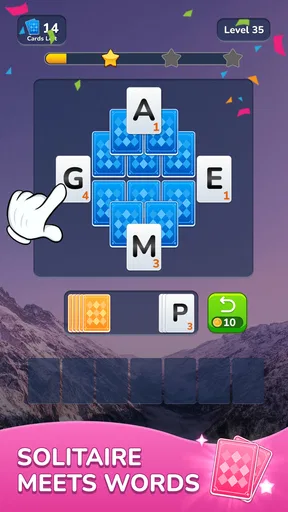
I like word games most when they give me something to think about without demanding a long, uninterrupted session. Word Solitaire-Unscramble Puz has a clear hook: it puts letters on cards and asks me to arrange them into words, giving a familiar solitaire-like layout a word-solving purpose. That combination makes it feel different from a standard anagram game, where I usually focus on a jumble of letters rather than the order and placement of individual cards.
Why the card-and-word combination matters
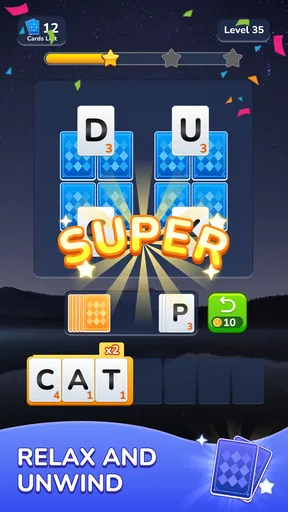
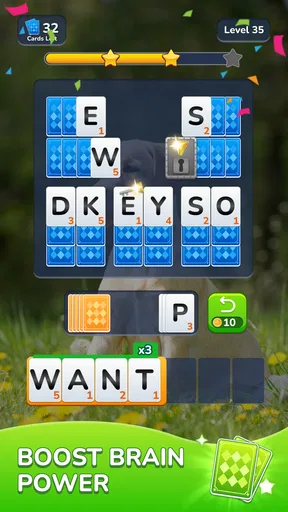
The card format changes the rhythm of solving. Instead of simply spotting a word and moving on, I have to consider how the letters fit together on the playing area. That extra spatial step gives the puzzle a measured, hands-on quality: I can pause, look over the cards, and try another arrangement rather than racing to type an answer. For me, the appeal is less about an elaborate strategy and more about making a small, satisfying decision at a time.
That distinction also helps set expectations. This is a word puzzle game with a solitaire influence, not a conventional card game in which the main challenge is following familiar suits and ranks. If you enjoy word searches or quick anagrams but want a more tactile way to work through letters, the card presentation may be the part that keeps the experience interesting. If you want deep deck management or a traditional solitaire ruleset, the word objective is likely to feel like the main event instead.
A low-pressure fit for small breaks
I can picture opening it during a quiet coffee break or while waiting for someone, solving a puzzle at my own pace, then putting my phone away. The central task is easy to understand, so it suits short visits better than a game that expects me to learn a long sequence of rules before I can enjoy it. I would also use it at home when I want a little mental activity but don’t feel like starting a demanding game or scrolling through a feed.
A useful way to approach a tricky board is to scan for likely short word patterns before moving cards around repeatedly. I try to identify a promising beginning or ending, then test the remaining letters against it. That keeps the puzzle deliberate and can prevent aimless shuffling. When I’m genuinely stuck, a hint is a reasonable way to preserve the relaxed mood; I’d save it for a board where I’ve already tried a few plausible arrangements rather than spending one immediately.
Where it sits among other word games
Compared with a plain anagram app, the card layout gives each move a visible, physical-feeling step. Compared with a word search, it asks me to build an answer rather than scan a fixed grid for one. And beside ordinary solitaire, it trades card-sequence planning for vocabulary and letter order. That middle ground is its strongest point: I can get a word challenge with a little of the familiar visual comfort of cards.
The trade-off is that players who want a broad mix of puzzle formats may prefer an app built around crosswords, word searches, and several distinct modes. The appeal here depends on enjoying this particular loop. Repeating a similar style of card-based word task can feel soothing to one person and samey to another, so I’d treat it as a focused casual game rather than a complete library of word puzzles.
Worth Reading Before You Choose

EA SPORTS FC Mobile 26 Is a Bigger Football Game, but It Takes Time

Flipboard Shows What News Apps Must Do Beyond the Feed

Switching to Android Auto Means Rethinking Your Driving Routine

Google Calendar Makes a Crowded Week Easier to Manage

Ludo King Makes the Most of the Minutes Between Plans

Baby Panda World Brings Quick Play to Modern Phones, but Its Game Library Feels Busy
Practical details before you settle in
Mindful Daily Puzzles is the developer, and the game is free to download. Optional in-app purchases range from $0.99 to $49.99 per item, so I’d check any purchase prompt carefully and decide whether an extra is worth it before spending. The game is rated for Everyone, has a 4.8 average from around 3,600 ratings, and has been installed over 100,000 times. Those figures suggest it has found an audience, though they don’t tell me whether its particular puzzle rhythm will suit you.
It was released on September 24, 2024, and the current version is 1.83.1, with Android 7.1 as the minimum operating system. If you’re choosing a game for an older device, checking your system version first is a practical step. I’d also think about what you want from a free puzzle: the core attraction is the card-and-word format, while optional purchases are something to consider separately rather than a reason to assume you need to pay to try it.
Unpacking the Gameplay
At its core, Word Solitaire-Unscramble Puz merges the familiar mechanics of solitaire with the satisfying challenge of word unscrambling. You start off with a deck of cards, each bearing a letter. The goal is to form words by dragging and placing these cards into the correct sequence. It’s a clever twist that keeps you engaged and thinking on your feet.
Getting Started
One of the first things you’ll notice when you launch the app is its clean and intuitive interface. It’s super easy to navigate, which means you can jump right into the action without any fuss. The tutorial is quick and effective, offering just the right amount of guidance to get you started without feeling overwhelmed.
The game is free to download with optional in-app purchases. This is great because you can fully enjoy the game without feeling pressured to spend money, unless you really want to enhance your experience with some extras.
Challenging Yet Relaxing
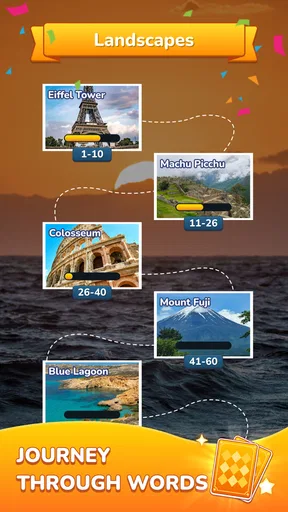
The game strikes a balance between being challenging and relaxing, which is a rare find. As you progress through the levels, the puzzles get progressively tougher. It’s satisfying to see your skills improve as you tackle more complex arrangements of letters. The difficulty ramps up nicely, ensuring that you stay engaged without feeling frustrated.
One of the features I really appreciate is the hint system. If you ever find yourself stuck (and trust me, it happens), you can use a hint to get back on track. It’s a helpful addition that keeps the game from becoming too frustrating, especially when you’re just looking to unwind.
Visuals and Sound
Visually, the app is pleasing without being overwhelming. The color scheme is easy on the eyes, which is perfect for those longer sessions. The animations are smooth and add a nice touch without being distracting. As for sound, the gentle background music and sound effects complement the gameplay perfectly, creating a soothing atmosphere that enhances the overall experience.
What Keeps You Coming Back?
Now, you might wonder, what makes this app stand out from other word games? For me, it’s the combination of solitaire and word puzzles that keeps it fresh. There’s a sense of achievement as you rearrange the cards into words, and the satisfaction of completing a level is incredibly rewarding.
The app also includes daily challenges and events, which add a layer of excitement and encourage you to keep coming back. There’s always something new to tackle, and the leaderboard system offers a fun way to compete against friends or other players.
Choosing it for your kind of downtime
The best match is someone who likes making words but doesn’t need every session to become a contest. The calm presentation and hint option make it approachable when I want to unwind, while the increasing difficulty gives me a reason to keep practicing. I’d recommend it especially to casual puzzle fans who like handling letters one move at a time and enjoy seeing a board resolve into a word.
I’d be more cautious if you prefer fast rounds, extensive competitive features, or a large selection of unrelated puzzle types. The daily challenges and leaderboard can add a reason to return, but they don’t change the basic appeal: arranging letter cards into words. If that central activity isn’t satisfying to you, extra reasons to open the game probably won’t make it a lasting fit.
Making a session work for you
For a short break, I’d start a puzzle only when I have enough attention to look at the letters rather than treating it as something to tap through absent-mindedly. If a word doesn’t come quickly, I find it more useful to step back and inspect the whole arrangement than to keep moving cards without a plan. That small reset can make the puzzle feel like a pleasant pause instead of a frustrating test.
For a longer session, I’d use the natural stopping points between completed puzzles to check whether I’m still enjoying the challenge. Word games can become tiring when I keep going after my attention has drifted, and a relaxed game works best when I let it stay relaxed. The hint system is there for the moments when I want to keep moving, not something I need to use on every difficult board.
What to expect from the extras
The daily challenges and events give regular players another reason to return, while the leaderboard makes it possible to compare progress with other players or friends. I see those as optional layers around the central puzzle rather than the main reason to install it. Someone who enjoys a personal word-solving routine may get plenty from the basic loop; someone who needs a strong social competition to stay interested should decide whether the leaderboard aspect is enough for them.
It is also worth separating the free download from the optional spending. I would begin by playing without buying anything and see whether the standard puzzle rhythm is enjoyable first. If a purchase prompt appears, take a moment to consider what it offers and whether it solves a real problem for you. That is a sensible approach for any free game with in-app purchases, especially when the core question is simply whether you like its style of play.
A focused choice rather than a puzzle collection
What I value most is that the game knows its central idea: letters presented as cards, words assembled through placement, and a relaxed pace supported by hints. That focus is a strength for someone who wants a consistent, easy-to-understand activity. It is also the main limitation. Players looking for crosswords, broad vocabulary modes, or a traditional solitaire experience may be better served by choosing an app centered on those specific interests.
That makes it easier to decide without expecting the game to be everything at once. If the card-based word mechanic sounds enjoyable, its gentle presentation and short-session suitability make it a reasonable one to try. If you usually lose interest when a puzzle repeats one core interaction, a more varied word-game collection is likely a better fit.
What Keeps You Coming Back?
Now, you might wonder, what makes this app stand out from other word games? For me, it’s the combination of solitaire and word puzzles that keeps it fresh. There’s a sense of achievement as you rearrange the cards into words, and the satisfaction of completing a level is incredibly rewarding.
The app also includes daily challenges and events, which add a layer of excitement and encourage you to keep coming back. There’s always something new to tackle, and the leaderboard system offers a fun way to compete against friends or other players.
The Verdict
All in all, Word Solitaire-Unscramble Puz is a delightful app that offers a unique twist on classic card games and word puzzles. Its combination of challenging gameplay, beautiful design, and relaxing vibe makes it a must-try for fans of either genre.
If you’re looking for a new app to keep your mind sharp and entertained, this might just be the one. So why not give it a go? You might find yourself pleasantly surprised at how addictive it can be!
Pros
- Engaging and addictive gameplay.
- Beautiful and intuitive design.
- Challenging levels increase difficulty.
- Offline play available for convenience.
- Regular updates with new features.
Cons
- In-app purchases can be pricey.
- Ads may interrupt gameplay.
- Some levels feel repetitive.
- Limited hints without purchase.
- May drain battery quickly.
FAQs for Word Solitaire-Unscramble Puz
What is Word Solitaire-Unscramble Puz about?
Word Solitaire-Unscramble Puz is a unique blend of classic solitaire gameplay and word puzzles. Players are challenged to form words by rearranging letters, while also managing the solitaire-style card layout. This game combines strategic thinking with vocabulary skills, making it engaging for those who enjoy word games and card puzzles.
Is Word Solitaire-Unscramble Puz suitable for all ages?
Yes, Word Solitaire-Unscramble Puz is designed to be family-friendly and suitable for all ages. The game features intuitive controls and progressively challenging levels, making it accessible for children and engaging enough for adults. It’s a great way to improve vocabulary and cognitive skills while having fun.
Does Word Solitaire-Unscramble Puz offer any in-app purchases?
Word Solitaire-Unscramble Puz includes optional in-app purchases. These purchases can enhance the gaming experience by offering additional hints, removing ads, or unlocking special features. However, the core game is free to play, and players can enjoy it fully without making any purchases.
Can I play Word Solitaire-Unscramble Puz offline?
Yes, Word Solitaire-Unscramble Puz can be played offline, making it a perfect choice for those who want to enjoy the game without an internet connection. This feature allows players to continue solving puzzles and enjoying the game during travel or in areas with limited connectivity.
What platforms is Word Solitaire-Unscramble Puz available on?
Word Solitaire-Unscramble Puz is available on both Android and iOS platforms, ensuring a wide reach for mobile users. The game can be downloaded from the Google Play Store for Android devices and the Apple App Store for iOS devices, offering a seamless experience across different smartphones and tablets.


